MyWalkThruzTenant

Your walkthroughs just got a much bigger home.

MyWalkThru is moving to zTenant by zInspector. Start free, or unlock the full zInspector platform with a special discount for your first 12 months.

We didn't replace MyWalkThru. We outgrew it.

Smiling man with glasses wearing a dark suit and white shirt against an orange gradient background.
Phil Owen
CEO, OnSight PROS
Cute yellow robot with big shiny eyes writing on a notepad with a blue pen.
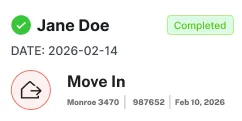
Task card showing completed move-in for Jane Doe at Monroe 3470 with date February 14, 2026.
You are moving onto the platform behind
100M+
Photos captured
40,000+
Users
4.9
zTenant rating · 21,000+ reviews
2014
Inspecting since

Why the change

01what it is changing

Rather than maintain two apps chasing the same goal, we partnered with zInspector.

As the industry advanced we looked hard at the best way to keep improving that experience. zTenant is a best-in-class tenant platform built for what property management teams need next.

02What it means for you

A major upgrade in what your tenant-led inspections can do.

Included because of your partnership with MyWalkThru. No setup fee, nothing to migrate by hand, and it is already switched on.

The timeline

What happens, and when

Everything you did in MyWalkThru, you can do in zTenant. Here's how the move works, starting with the option that fits your account.

Step 1 · Start here

Find your path

How you get started depends on whether you already use zInspector.

  • Already on zInspector, with zTenant included: You're all set
  • Already on zInspector, without zTenant: Upgrade at 30% off for 12 months
  • New to zInspector: Start free, or get 30% off any paid plan for 12 months

Step 2 · Your first week

Add your properties and tenants

Connect your property management software to sync properties, tenants and lease details automatically, or add them yourself. You only do this once.

Skip if you're already a zInspector user.

Step 3 · How it works

Follow the step-by-step guides

Each guide includes a short video tutorial.

Step 4 · After that

MyWalkThru is phased out

Once you're up and running in zTenant, MyWalkThru is retired for good.

What you gain

Five things MyWalkThru was never able to do

All of it is live on your account today. None of it costs you anything for the next 12 months.

Your own branded tenant app

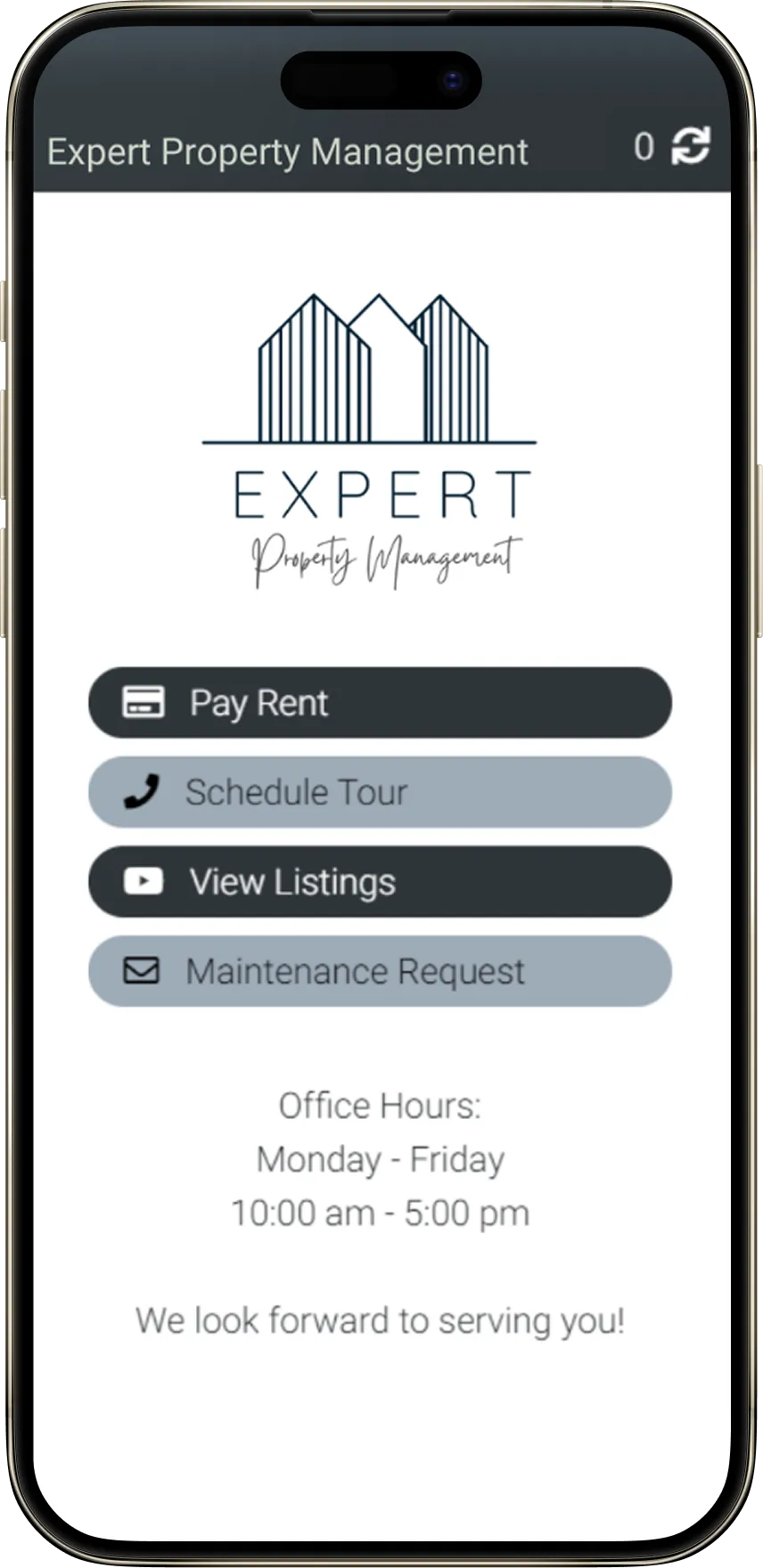
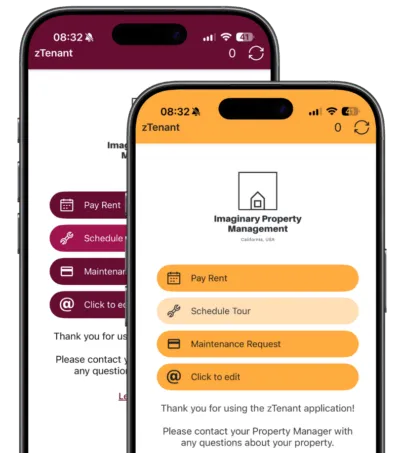
Instead of a one-off inspection, build a custom app with your logo and your colors that tenants actually use — maintenance requests, rent, listings, showings, applications and reaching you directly, all in one place alongside their inspections.

Two phones showing the zTenant home screen styled in a property manager's own colors and logo.

Full history in one place

Every report ties back to the property permanently. You see everything that has ever been done on it — not just the last MyWalkThru report.

One system, not two

Tenant walkthroughs live alongside the rest of your zInspector data instead of sitting in a separate tool.

Templates you control

Strong inspection templates ready from day one, plus the ability to build your own and capture exactly what you need.

Chasing, handled

Tenants get a daily reminder until they submit, plus an expiration notice. You are not the one following up.

How it works

From lease to finished report

Five steps from signed lease to finished report. You handle the first two; zTenant runs the rest.

01

Start with the property and tenant

Every invite pulls contact and lease details straight from the lease record. Synced accounts already have it. Unsynced accounts enter it once.

02

Send the invite

Find the property in your dashboard, review the message and the dates, and send. The status changes to Invited.

03

The tenant inspects

A guided walkthrough in the zTenant app, one prompt at a time, with required photos on the items that actually matter.

04

Reminders run themselves

A daily reminder goes out until they submit, with an expiration notice if they run out of time. You set the defaults once.

05

The report lands back with you

In your inbox, synced out to your property management software, and attached to that property permanently.


About zTenant

More than a move-in walkthrough

MyWalkThru covered the walkthrough. zTenant covers every tenant-led inspection you might want to run — and the report is identical whether the tenant completes it or you do.

Move-InEstablish baseline condition on day one, signed by the tenant, before any disputes can start.
PeriodicCheck in mid-lease without a site visit and catch maintenance issues early.
RenewalDocument condition at lease renewal to keep an ongoing, timestamped record.
AnnualA yearly condition check that keeps your records current with zero windshield time.
Pre Move-OutLet tenants flag and address issues before they leave, reducing surprises at turnover.
Your reports land where your team already works
AppFolioBlack lowercase letter a on a light blue background.
RentvineGreen geometric logo with two upward-pointing shapes on a light background.
PropertywareOrange building with blue roof and a swoosh encircling its base.
Rentec DirectBlue logo combining the letters R and D with a window symbol in the D.
BuildiumBuildium company logo with a white stylized letter B on a green rounded square background.
Next step

Switching tools can be a hassle. This one is painless.

OnSight PROS is winding down MyWalkThru, so we'd like you to make the shift. To help it go smoothly, we had this short webinar walking through how to do in zTenant what you've been doing in MyWalkThru, plus how to set up your branded app.

No setup fee
Free for 12 months
Nothing to migrate by hand